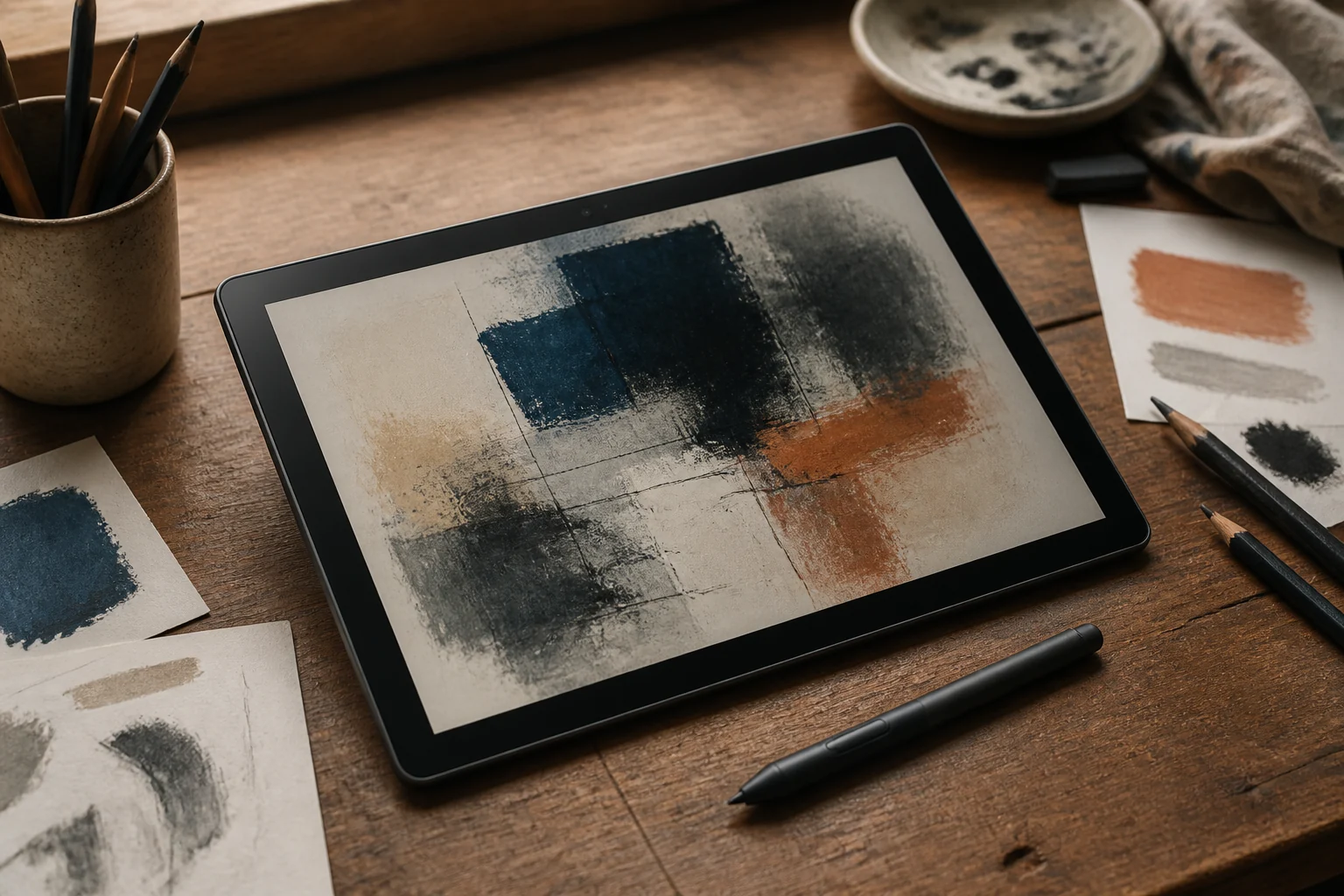
The XPPen Magic Drawing Pad is worth considering if you want a portable Android sketchbook with a large matte screen, an included battery-free pen, and enough storage for a serious art library. Its value is strongest at the current $429.99 promotional price. It is less convincing for artists committed to Procreate, artists whose brushes depend heavily on precise tilt response, or anyone who expects an iPad-length operating-system support promise.
There is one essential detail before any other comparison: buy the current MDP1221 model with Android 14, not old 9494G stock with Android 12. The newer model adds the X3 Pro Slim Stylus, up to 1TB microSD expansion, and hardware DP-in so it can work as a computer drawing display. More importantly, current Clip Studio Paint releases require Android 13 or newer, while XPPen’s older-model FAQ says the Android 12 version cannot be upgraded to Android 13 or 14.
Quick verdict
| Question | Short answer |
|---|---|
| What is it? | A 12.2-inch standalone Android drawing tablet with a pen included |
| Current U.S. price | $499.99 list price; $429.99 promotional price on XPPen’s store on August 27, 2026 |
| Best for | Mobile illustration, sketching, comics, and artists already comfortable with Android apps |
| Biggest advantage | Matte 3:2 screen and battery-free EMR pen in one ready-to-draw package |
| Biggest concern | No published long-term Android upgrade commitment; inconsistent tilt and palm rejection in one detailed independent review |
| Model to buy | MDP1221, Android 14 |
| Model to approach cautiously | 9494G, Android 12 |
The official U.S. product page lists the tablet at $499.99 and was offering it for $429.99 with a checkout code at publication. That package includes the stylus and protective case. Sale prices and stock can change, so the model number matters more than the headline discount.
Why the Magic Drawing Pad stands out
Most drawing tablets are either computer accessories or general-purpose tablets with an added stylus. The Magic Drawing Pad is a standalone Android tablet designed around drawing from the start.
Its 12.2-inch display uses a spacious 3:2 ratio instead of a narrow video-first shape. The screen has an etched matte surface rather than glossy glass, and the X3 Pro Slim Stylus comes in the box. There is no pen battery to charge and no Bluetooth pairing step. The current MDP1221 can also accept a DisplayPort signal over USB-C, turning it into a 1080p pen display for a Mac or PC.
That combination is its place among the best drawing tablet options. Standard Android tablets may be faster but often lack this screen texture. Conventional pen displays cannot run apps alone. An iPad offers a richer creative ecosystem, but its stylus is separate and most models use glossy glass unless you add a textured layer.
Technical specifications: the current MDP1221
These are the important specifications published for the current model on XPPen’s product page:
| Feature | XPPen Magic Drawing Pad MDP1221 |
|---|---|
| Display | 12.2-inch TFT-LCD IPS with a matte surface |
| Resolution and ratio | 2160 × 1440, 3:2, 60Hz |
| Brightness | Up to 360 nits |
| Color | 16.7 million colors; claimed 97% sRGB coverage |
| Surface | AG anti-glare and AF anti-fingerprint treatment |
| Processor | MediaTek MT8781; 2 × Cortex-A76 at 2.2GHz and 6 × Cortex-A55 at 2.0GHz |
| Graphics | Mali-G57 MC2 |
| Memory and storage | 8GB RAM, 256GB storage |
| Expansion | microSD up to 1TB |
| Operating system | Android 14 |
| Stylus | X3 Pro Slim Stylus; EMR, battery-free, 16,384 pressure levels, 60-degree tilt |
| Pen size and weight | 157mm, approximately 10g |
| Battery | 8,000mAh; claimed 13 hours at 50% brightness |
| Cameras | 13MP rear, 8MP front |
| Audio | Four speakers, two microphones |
| Wireless | Dual-band Wi-Fi; no cellular model |
| Dimensions | 279 × 192 × 6.9mm |
| Weight | About 590g, or 1.3 pounds |
The MT8781 is a midrange processor, not a competitor to Apple’s M4. The practical question is whether it is fast enough for drawing rather than whether it tops a processor chart. In a detailed 2025 model review, artist and reviewer Teoh Yi Chie found drawing apps and multitasking generally smooth, while noting that this is not a tablet for maximum-quality gaming. That is a sensible expectation for the hardware.
Eight gigabytes of RAM is appropriate for Android illustration work, while 256GB plus microSD expansion leaves ample room for references and exports.
X3 Pro Slim Stylus: strong pressure control, qualified tilt support
Documented facts
The included X3 Pro Slim Stylus uses electromagnetic resonance, or EMR. It draws power from the tablet’s digitizer, so it needs neither charging nor Bluetooth pairing. XPPen specifies 16,384 pressure levels, 60-degree tilt support, a 10-to-20mm reading height, and two configurable side buttons. A removable cover can hide the buttons, and the pen body stores spare nibs.
Pressure-level counts alone do not determine whether a pen feels good. Initial activation force, line taper, cursor accuracy, and app behavior matter more.
Independent line tests are encouraging. In the Parka Blogs review, the pen produced thin starting lines, smooth tapers, consistent widths, and dots without obvious diagonal wobble. The reviewer also reconnected separate strokes accurately.
The reservations are tilt and palm rejection. The same reviewer reported that tilt could activate too readily, that low pen angles were constrained by the tip housing, and that results varied even with a thicker compatible X3 pen. Palm contact occasionally triggered touch gestures in some apps. XPPen provides a system control that disables finger drawing while retaining pen input, which is a workable fallback, but artists who rotate broad, tilt-sensitive brushes throughout a painting should treat this as a purchase-defining issue.
Latency also appears to depend on the app. MediBang showed a visible gap behind the pen in Parka’s review, while Clip Studio Paint, Infinite Painter, Sketchbook, and especially Concepts behaved better. TechRadar’s earlier review similarly found clean lines with occasional slight delay rather than persistent lag.
Editorial judgment
For pressure-driven inking, sketching, cel shading, note-taking, and most painting brushes, the documented line quality looks competitive for the price. For workflows built around tilt-controlled charcoal, airbrush, or calligraphy tools, the published inconsistency is enough to justify buying only from a seller with a useful return window.
X3 Pro Slim Stylus versus Apple Pencil Pro
These pens take different approaches. The X3 Pro Slim Stylus is simple, light, battery-free, and included. Apple Pencil Pro is a connected accessory with more interaction features.
| Feature | X3 Pro Slim Stylus | Apple Pencil Pro |
|---|---|---|
| Included with tablet | Yes | No; $129 separately |
| Power | Battery-free EMR | Rechargeable; magnetically charges on compatible iPads |
| Pairing | None | Wireless pairing |
| Published pressure levels | 16,384 | Apple does not publish a level count |
| Tilt | 60-degree support claimed; mixed independent findings | Tilt and pressure support, with mature app integration |
| Extra controls | Two configurable side buttons | Squeeze, double-tap, barrel roll, haptic feedback, hover, Find My |
| Weight | About 10g | 19.15g |
Apple documents pressure, tilt, hover, barrel roll, squeeze, and haptics on its Apple Pencil support page, but does not advertise a pressure-level number.
The current 11-inch iPad Air with M4 starts at $599, and Apple Pencil Pro costs $129, according to Apple’s 2026 launch information. That makes the starting art bundle $728 before a case or matte treatment. The iPad buys much faster processing, stronger platform support, and Procreate; XPPen includes the pen, case, expandable storage, and matte surface for less.
Choose between them by workflow, not by the pressure figure. Apple Pencil Pro is the more polished and feature-rich pen system. The X3 Pro Slim is the lower-maintenance tool and the better value if its tilt behavior suits your brushes.
Display and surface feel
The X-Paper display is the Magic Drawing Pad’s defining hardware. XPPen uses anti-glare etched glass and an anti-fingerprint treatment to add friction and diffuse reflections. The panel is 12.2 inches, 2160 × 1440, 60Hz, and 3:2. That aspect ratio leaves useful vertical room for tool palettes while preserving a broad canvas.
The current claim of 97% sRGB coverage is good for web illustration and general creative work, but it is not the same as wide Adobe RGB or Display P3 coverage. It is also a coverage claim, not a guarantee that every unit arrives perfectly calibrated. Artists preparing color-critical print work should still confirm final color on a calibrated reference display. Our guide to budget monitors for photo editing explains gamut claims, calibration, and the limits of inexpensive displays.
Independent descriptions of the surface are positive, with an important qualification: “paper-like” does not mean rough paper. Parka found the laminated matte glass tactile but smoother than paper. Creative Bloq’s review also praised the reduced glare compared with glossy glass.
Brightness is the limitation. Anti-glare treatment keeps reflections from becoming mirror-like, but 360 nits is modest for direct sun. One reviewer found it usable outdoors, while Parka recommended shade. The safe conclusion is that it is a good café, couch, train, classroom, and shaded-sketching screen—not an ideal full-sun plein-air display.
Android, drawing apps, and the older-model trap
The current Magic Drawing Pad runs Android 14 with Google Play. XPPen preinstalls Clip Studio Paint, ibisPaint X, and MediBang Paint. Its current offer includes three months of both Clip Studio Paint and ibisPaint membership after activation, plus MediBang benefits. Eligibility and redemption terms should be checked before purchase, especially if an account has used an earlier trial.
Clip Studio Paint’s official mode guide says Studio Mode provides the same functions as the PC version, while Simple Mode better fits a tablet screen. Android tablets need an eligible subscription after any included period; a desktop perpetual license does not activate the Android app.
The Magic Drawing Pad’s 8GB of RAM and 12.2-inch screen meet Clip Studio’s current recommendations. The OS version is just as important. Clip Studio’s current Android requirements begin at Android 13. The older 9494G Magic Drawing Pad shipped with Android 12, and XPPen’s FAQ for that model explicitly says it will not upgrade to Android 13 or 14. Existing software may continue to run, but current Clip Studio releases are no longer a safe assumption.
That is why a vague retailer title such as “Magic Drawing Pad 8GB/256GB” is not enough. Check the model number printed on the back or get written confirmation that the unit is MDP1221 with Android 14.
Other Google Play choices include Krita, Concepts, Infinite Painter, Sketchbook, and ArtRage. App performance and pen-button support can vary. Procreate remains the clearest missing piece: the developer describes it as exclusive to the App Store for iPad. Apple Pencil does not work on the Magic Drawing Pad, and there is no Android version of Procreate to install.
Battery life, charging, and portability
XPPen rates the 8,000mAh battery for 13 hours at 50% brightness. TechRadar reached about 13 hours at medium brightness on the earlier model, while Parka reported roughly 8 to 10 hours on the Android 14 version. Heavy canvases, high brightness, Wi-Fi, and background apps will shorten that figure.
For planning purposes, expect a working day of mixed drawing rather than treating 13 hours as guaranteed. The current store advertises 33W fast charging, and its electrical specification lists PPS input up to 11V/3A. Reverse charging is available for lending a small amount of power to an Android phone, but it is an emergency convenience, not a replacement power bank.
At about 1.3 pounds and 6.9mm thick, the tablet is easy to move but not weightless in one hand. The large canvas is the reason to buy it, and also the reason a lap, desk, or stand is more comfortable for long sessions. The included protective case covers the back, edges, and corners and stores the pen. Independent reviewers note that it does not cover the front or function as a substantial drawing stand, so a padded sleeve and a separate stand may be sensible travel additions.
Drawing display mode: useful, but only on MDP1221
The current model can become a wired pen display for desktop creative software. This is a hardware DisplayPort input, not wireless screen-mirroring software. According to XPPen’s Drawing Display Mode FAQ, it requires:
- The MDP1221 model; other versions cannot gain the feature through an update.
- A computer port with DisplayPort Alt Mode, such as a compatible full-featured USB-C, Thunderbolt 3/4, or USB4 port, or a suitable DisplayPort-to-USB-C adapter.
- A USB 3.2 Gen 1 or better full-featured USB-C cable. The included cable is recommended; an ordinary charging cable will not carry video.
The connection supports mirror and extended modes at 1080p/60Hz. Pressure and tilt work without a driver, although calibration and customization need XPPen’s desktop driver. Windows supports touch gestures in this mode; macOS does not. Android apps are suspended until it is closed.
The 1080p input is lower than the native 2160 × 1440 resolution, but it still lets Photoshop, desktop Clip Studio Paint, or another computer app use the same hardware. The older 9494G relies on software approaches such as Spacedesk and cannot add hardware DP-in.
What comes in the box and what costs extra
XPPen lists the tablet, X3 Pro Slim Stylus, protective case, full-featured charging/DP-in cable, eight nibs, nib extractor, drawing glove, card-eject tool, quick guide, and warranty card. A power adapter is included in some regions, so U.S. buyers should confirm the exact package contents on the order page.
Optional accessories include the ACK08 Smart Keyboard, ACK05 Wireless Shortcut Remote, ACJ10 sleeve, AC48 case, replacement nibs, and replacement cables. Compatibility is not universal. The ACK08 keyboard listing, for example, says it works with the Android 14 MDP1221 and not the 9494G. Check the model number before ordering any pen, cable, or keyboard.
Updates, warranty, and long-term ownership
XPPen has delivered useful fixes. Creative Bloq reported that an early update addressed launch-era stylus behavior, improved battery optimization, and added microSD default storage. XPPen also maintains current computer drivers on its Magic Drawing Pad download page.
What is missing is a public promise for Android upgrades or security-patch years. The older model did not receive Android 13 or 14, so treat Android 14 as the guaranteed MDP1221 OS—not the beginning of a promised multi-version path.
Warranty language also depends on the sales channel. The U.S. official store advertises an 18-month warranty for official e-store purchases, while XPPen’s generic drawing-pad warranty card lists 12 months and requires proof of purchase from XPPen or an official reseller. Third-party buyers should get the exact warranty term and responsible seller in writing.
The official U.S. after-sales policy permits a refund request within 30 calendar days of purchase or seven days after receipt, but returned products are expected to be in new condition and opened packaging can incur a 15% deduction. Read the current terms before ordering. Tilt, palm rejection, screen texture, and app compatibility are personal enough that the return policy is part of the product decision.
Who should buy it—and who should skip it
Buy the XPPen Magic Drawing Pad if:
- You want a large portable canvas with a matte surface out of the box.
- You primarily use Clip Studio Paint, ibisPaint, Krita, Concepts, MediBang, or another Android drawing app.
- A battery-free pen is more appealing than magnetic charging and Bluetooth features.
- You value 256GB of storage and a microSD slot.
- You want one device that can sketch independently and serve as a wired computer pen display.
- You can confirm the Android 14 MDP1221 model and the price is near $430.
Skip it if:
- Procreate is central to your work.
- Your brush technique depends on consistently precise tilt at shallow pen angles.
- You need a bright direct-sun display.
- You want a published long-term OS and security-update commitment.
- You need cellular data, top-tier tablet performance, or Apple Pencil Pro features such as barrel roll and haptics.
- The listing is for the older Android 12 model unless the discount is exceptional and you have confirmed every required app still works.
Common questions
Does Apple Pencil work with the XPPen Magic Drawing Pad?
No. Apple Pencil pairs only with compatible iPads. The Magic Drawing Pad uses XPPen’s EMR pen system and includes the compatible X3 Pro Slim Stylus on the current model.
Does Clip Studio Paint run fully on it?
Yes, on the Android 14 MDP1221. Clip Studio Paint’s Studio Mode offers the PC-style feature set, while Simple Mode uses a mobile interface. Tablet use requires an eligible subscription after any trial or bundled membership. Avoid assuming the Android 12 model will support current releases, because Clip Studio now requires Android 13 or later.
How long does the battery last while drawing?
The official claim is 13 hours at 50% brightness. Independent reports suggest a practical range of roughly 8 to 13 hours depending on brightness, app, canvas complexity, wireless use, and power settings.
Can it replace a regular pen display?
The MDP1221 can accept a hardware DP-in signal and work as a 1080p/60Hz pen display for a Mac or PC. It will not match a large 4K desktop display for resolution or ergonomics, but it can cover both portable sketching and occasional desktop work. The older 9494G does not support hardware DP-in.
Is the screen color accurate enough for professional art?
The official 97% sRGB coverage is appropriate for web illustration and much general art production. It is not a substitute for verified calibration or a wide-gamut reference display when preparing color-critical prints.
Is the XPPen Magic Drawing Pad worth $500?
At $499.99, it remains a coherent package because the pen, case, matte display, and 256GB storage are included. At the observed $429.99 sale price, the value is stronger. An iPad Air and Apple Pencil Pro cost more, but buy greater power, Procreate, and a more mature pen ecosystem.
Final recommendation
The XPPen Magic Drawing Pad MDP1221 earns a qualified recommendation for mobile artists who prefer Android apps and want a tactile screen without assembling a tablet, stylus, case, and matte protector separately. Its pressure response, line quality, storage, and one-cable computer mode give it real creative value. At around $430, it occupies a useful space below an iPad Air and Apple Pencil Pro bundle.
The qualifications are meaningful. Tilt-sensitive brushes and palm gestures have not been equally reliable across reviewers and apps, outdoor brightness is limited, and XPPen has not published an iPad-like update commitment. Procreate users should stay with iPad. Artists who want a focused Android canvas for Clip Studio Paint, ibisPaint, Krita, or Concepts should put it on the shortlist.
Before paying, verify MDP1221, Android 14, the included power adapter and DP-in cable, the seller’s U.S. warranty, and the current return terms. Those checks distinguish the capable 2026 version from old stock with a much shorter useful software life.